Data Breaches vs Ransomware Attacks: What's the Difference?

  • By David Lukic
  • Published: Nov 02, 2020
  • Last Updated: Sep 30, 2022

The words data breach and ransomware are brandished around pretty liberally these days, a frequently asked question, does ransomware steal data? is it the same as data breaches, not everyone knows exactly what they mean or how they interconnect. Let’s clear that up right now.

What is Ransomware? 

Ransomware is a form of malware which is software installed on a computer or server that allows the hacker to take over, lock and encrypt the files and hold them for ransom. It can happen to an individual, a small business, or even a large company. Sometimes the hacker threatens to delete all the files if they are not paid within the specified timeframe.

Difference between ransomware and malware: How Does Ransomware Get on Your Computer?
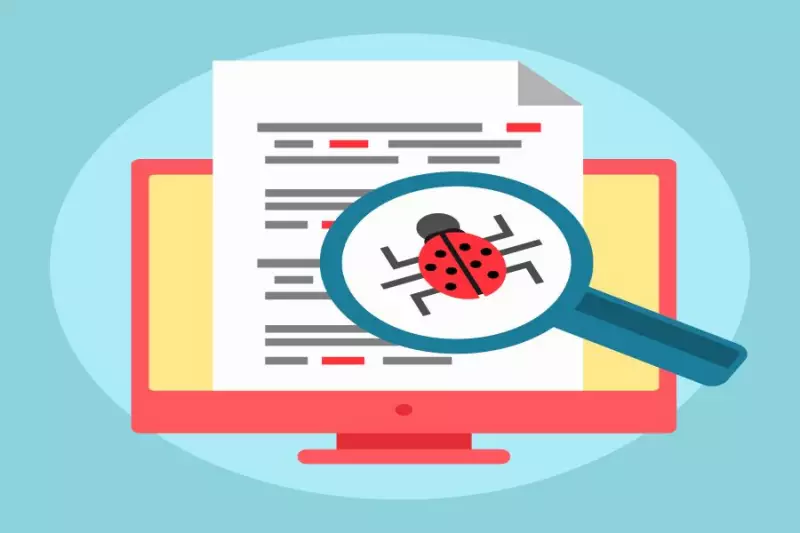
what is ransomware

Ransomware is a form of malware that can get on your computer in a myriad of ways. Usually, criminals send out vats of phishing emails to try and get people to click a link that downloads the software onto their computers. Another way your computer might get infected is through downloading freeware or other software from untrusted sources, and the malware is bundled in with it. Once you install it, the hackers can take control of your computer, encrypt your files and lock your computer until you pay a fee. 

Some ransomware is worse than others. If your files get encrypted, you have to know how to rescue your computer from a ransomware attack. In other cases, the screen is only locked by a pop-up. Those versions are much easier to resolve. Some hacker conglomerates actually sell ransomware as a kit to budding young thieves. They even include instructions to teach them how to use it.

When businesses are the victim of a ransomware attack, the problem becomes more complicated. They require their data and files to continue operations, so in some cases, they will pay the ransom. Another consideration is if they are a medical or financial facility, the threat of a data breach is greater, and they have to weigh that in as well when making the decision of whether or not to pay.

How to Keep Your Computer Clean from Ransomware

The best thing you can do to ensure a ransomware attack does not ruin you is to keep regular, secure, and accurate backups of your entire computer or server. Other things you can do to stay safe are:

  1. Keep your computer updated with the latest security patches and operating system.
  2. Install good antivirus software and run deep scans often.
  3. Never click a link or open attachments in email.
  4. Only download and install software from trusted vendors.
  5. Educate your kids, employees, and others about the dangers of malware.
  6. Keep solid backups of all your computers and data.

Ransomware vs. Data Breach? How Does a Data Breach Occur?

Hackers perpetrate data breaches through the use of malware (although not usually ransomware) exploiting vulnerabilities in computers and servers. They sometimes use phishing techniques and get employees to click links that download and infect their computers, giving them access to the entire server.

Data Breach Policy

A data breach is data that is accessed or stolen for the purpose of using it to target the subjects of the information or the company itself. Often, massive amounts of personal or financial data are taken such as the Target, Home Depot, and Best Buy data breaches and then sold on the dark web for a larger purpose.
what is data breach

How to Protect Yourself from Data Breaches

You cannot control how companies use your data, but you can take steps to protect yourself.

  1. Never give out personal data (like your social security number, birth date, or credit card info) to anyone unless you initiate the transaction.
  2. Routinely get a copy of your credit report, or even better, hire a company like IDStrong.com to monitor your credit for you.
  3. Review bank, credit, and debit card statements carefully, always looking for suspicious activity.
  4. Only use a single credit card when making online purchases so you can cancel it quickly if there is a data breach.

Ransomware Does Not Mean a Data Breach has Occurred

Just because a computer or server was attacked by ransomware does not necessarily mean a data breach has occurred. Many times, the software works in automated fashion encrypting files and changing extensions, but that does not mean the hacker actually read, copied, or took possession of any files and data. If a ransomware attack is announced on the news at a company you do business with, however, assume there has been a data breach and take quick action. It’s better to be safe rather than sorry.


About the Author
IDStrong Logo

Related Articles

What is Data Leak and How to Prevent Accidental Data Leakage

Data breaches take many forms, and one of them is through data leak and accidental web exposure. M ... Read More

The Saga of T-Mobile Data Breach: 2013, 2015, 2021 and 2023 Hacks

T-Mobile has experienced a number of data breaches in the past decade. The first case occurred som ... Read More

Anthem Data Breach Exposed 78 Million Records

In the Anthem Data Breach of 2015, hackers were able to steal 78.8 million member’s records. ... Read More

Everything You Need to Know About Insider Data Breach

Data breaches are on the news frequently, but the average person doesn’t really know that much a ... Read More

The NSA Hack, How Did it Happen?

The National Security Agency (NSA) was the main attraction in a major data breach involving three ... Read More

Latest Articles

What You Need to Know about the Aflac Data Breach

What You Need to Know about the Aflac Data Breach

Image by Jhelmsaflac, CC BY-SA 4.0, via Wikimedia Commons The American Family Life Assurance Company of Columbus (Aflac) is a Fortune 500 company that provides financial protection through supplemental life and health insurance products to millions of individuals worldwide.

What You Need to Know about the University of Phoenix Data Breach

What You Need to Know about the University of Phoenix Data Breach

The University of Phoenix was founded in 1976 and is headquartered in Phoenix, Arizona, as a private, for-profit university designed for working adults and non-traditional students balancing family, career, and education.

What You Need to Know about the 700Credit Data Breach

What You Need to Know about the 700Credit Data Breach

700Credit is the major provider of credit reports, fraud detection, identity verification, soft pull credit data, and compliance solutions in powersports, marine dealerships, and automotive in the United States.

What You Need to Know about the LastPass Data Breach

What You Need to Know about the LastPass Data Breach

LastPass prides itself on being a pioneer in cloud security technology, providing password and identity management solutions for personal and business digital safety.

What You Need to Know about the Coupang Data Breach

What You Need to Know about the Coupang Data Breach

Coupang, a company listed on the NYSE, is South Korea's largest online retailer and is headquartered in  Seattle. It serves millions of customers in over 190 countries, including the United States, offering retail, video streaming, restaurant delivery, and fintech services worldwide under various brands.  

What You Need to Know about the Harvard University Data Breach

What You Need to Know about the Harvard University Data Breach

Harvard University is the oldest college in the American colonies and one of the most prestigious universities in the United States.

Featured Articles

How to Buy a House with Bad Credit

How to Buy a House with Bad Credit

Buying your own home is the American Dream, but it might seem out of reach to those with bad credit. However, the good news is, if your credit is less than perfect, you do still have options and in most cases, can still buy a home.

How Secure Is Your Password? Tips to Improve Your Password Security

How Secure Is Your Password? Tips to Improve Your Password Security

Any good IT article on computers and network security will address the importance of strong, secure passwords. However, the challenge of good passwords is that most people have a hard time remembering them, so they use simple or obvious ones that pose a security risk.

Top 10 Senior Scams and How to Prevent Them

Top 10 Senior Scams and How to Prevent Them

Senior scams are becoming a major epidemic for two reasons. First, seniors often have a lot of money in the bank from a life of working hard and saving.

Notice

By proceeding with this scan, you agree to let IDStrong run a Free Scan of supplied parameters of your personal information and provide free preliminary findings in compliance with our Terms of Use and Privacy Notice. You consent to us using your provided information to complete the Free Scan and compare it against our records and breach databases or sources to provide your Free preliminary findings report.

Rest assured: IDStrong will not share your information with third parties or store your information beyond what is required to perform your scan and share your results.

Free Identity Threat Scan
Instantly Check if Your Personal Information is Exposed
All fields below are required
Please enter first name
Please enter last name
Please enter a city
Please select a state
Please enter an age
Please enter an email address
Close